[et_pb_section fb_built=”1″ _builder_version=”4.16″ _module_preset=”default” custom_margin=”||||false|false” custom_padding=”0px||0px|||” box_shadow_style=”preset1″ box_shadow_vertical=”10px” box_shadow_blur=”42px” box_shadow_color=”rgba(110,130,208,0.17)” global_colors_info=”{}” theme_builder_area=”post_content”][et_pb_row _builder_version=”4.16″ _module_preset=”default” width=”100%” max_width=”100%” custom_padding=”|30px||30px|false|true” global_colors_info=”{}” theme_builder_area=”post_content”][et_pb_column type=”4_4″ _builder_version=”4.16″ _module_preset=”default” global_colors_info=”{}” theme_builder_area=”post_content”][et_pb_text _builder_version=”4.17.3″ _module_preset=”default” text_line_height=”1.8em” hover_enabled=”0″ global_colors_info=”{}” theme_builder_area=”post_content” sticky_enabled=”0″]
NOTE: Before installing the SEO Hippo Divi child theme make sure that you have installed the Divi theme and it’s activated.
[/et_pb_text][et_pb_text _builder_version=”4.17.3″ _module_preset=”default” text_line_height=”1.8em” hover_enabled=”0″ global_colors_info=”{}” theme_builder_area=”post_content” sticky_enabled=”0″]
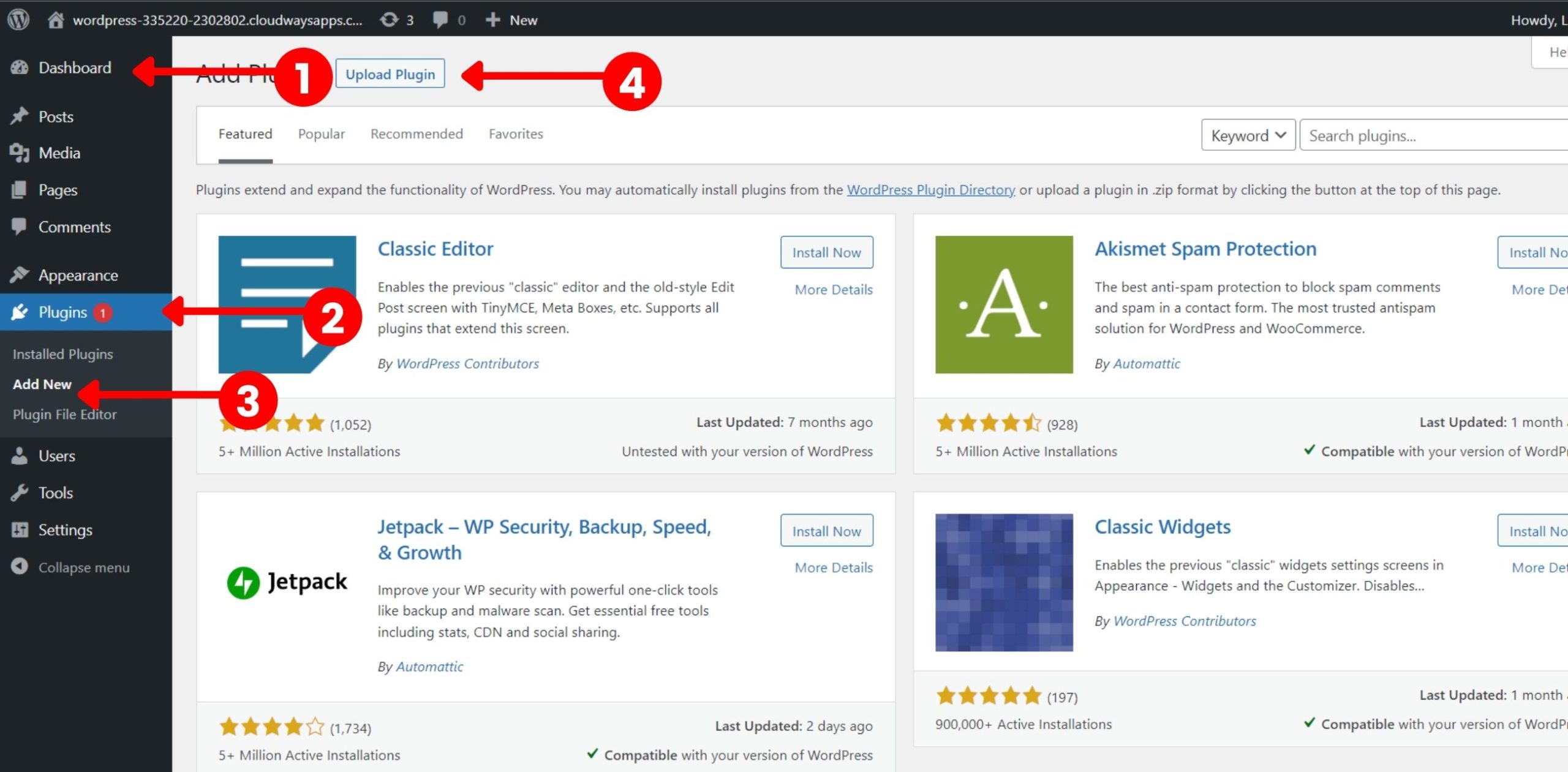
Simply Download SEO Hippo Divi Child Theme from your Account after Purchasing. When you’ll download it, you’ll get the “SEO Hippo Divi Child Theme.zip” file. Now, you need to go to Dashboard -> Plugins -> Add New.
[/et_pb_text][et_pb_text _builder_version=”4.17.3″ _module_preset=”default” text_line_height=”1.8em” hover_enabled=”0″ global_colors_info=”{}” theme_builder_area=”post_content” sticky_enabled=”0″]
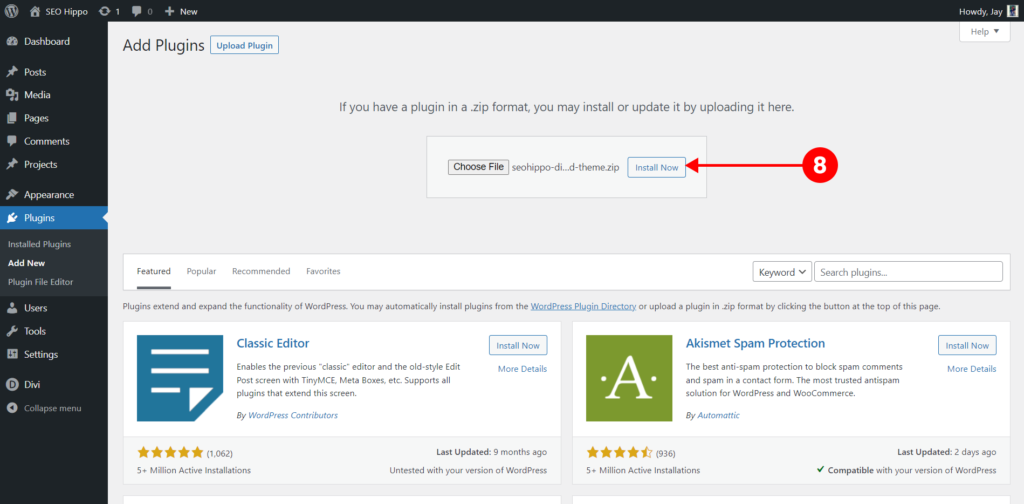
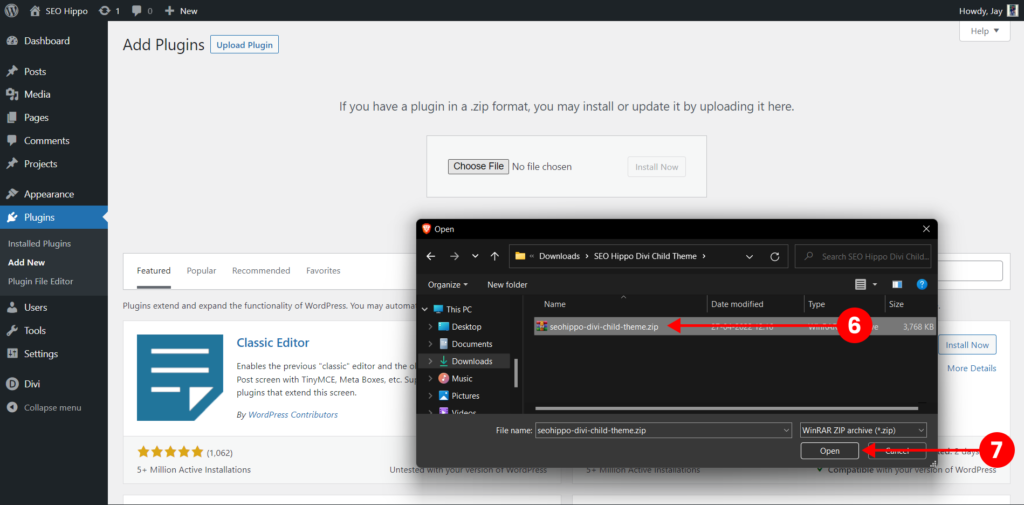
Now click on the Upload button at the top and then upload the “seohippo-divi-child-theme.zip” here and click on the Install Now button.
[/et_pb_text][et_pb_text _builder_version=”4.17.3″ _module_preset=”default” text_line_height=”1.8em” hover_enabled=”0″ global_colors_info=”{}” theme_builder_area=”post_content” sticky_enabled=”0″]
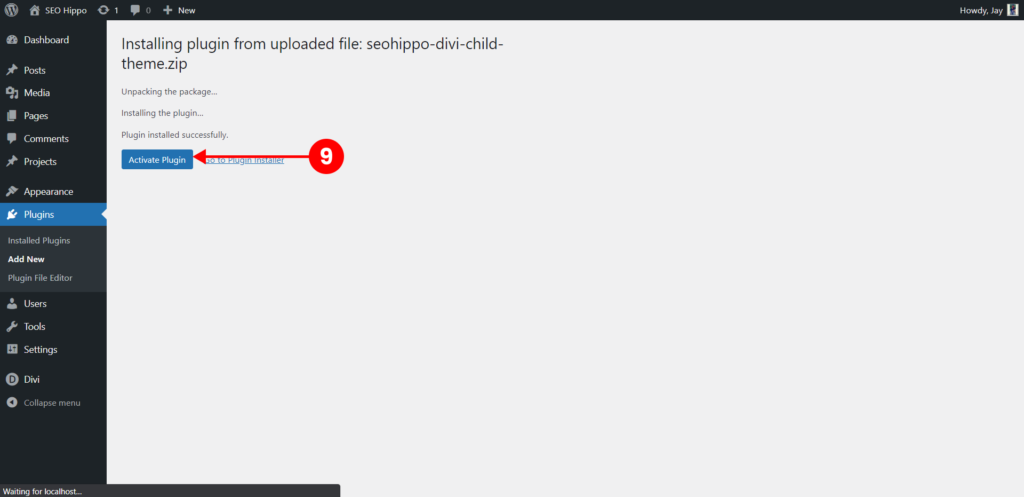
After that click on the Activate Button to activate the plugin.
[/et_pb_text][et_pb_text _builder_version=”4.17.3″ _module_preset=”default” text_line_height=”1.8em” hover_enabled=”0″ global_colors_info=”{}” theme_builder_area=”post_content” sticky_enabled=”0″]


With that, It will install the SEO Hippo Divi Child Theme Demo Content Importer on your site. Now, let’s move to how to import the demo content.
[/et_pb_text][/et_pb_column][/et_pb_row][/et_pb_section]