Travel Agency Importing Demo Data

[et_pb_section fb_built=”1″ _builder_version=”4.16″ _module_preset=”default” custom_margin=”||||false|false” custom_padding=”0px||0px|||” box_shadow_style=”preset1″ box_shadow_vertical=”10px” box_shadow_blur=”42px” box_shadow_color=”rgba(110,130,208,0.17)” global_colors_info=”{}” theme_builder_area=”post_content”][et_pb_row _builder_version=”4.16″ _module_preset=”default” width=”100%” max_width=”100%” custom_padding=”|30px||30px|false|true” global_colors_info=”{}” theme_builder_area=”post_content”][et_pb_column type=”4_4″ _builder_version=”4.16″ _module_preset=”default” global_colors_info=”{}” theme_builder_area=”post_content”][et_pb_text _builder_version=”4.17.3″ _module_preset=”default” text_line_height=”1.8em” global_colors_info=”{}” theme_builder_area=”post_content”]

NOTE: Before importing the demo content make sure that you have installed the Divi theme and it’s activated.

[/et_pb_text][et_pb_text _builder_version=”4.17.3″ _module_preset=”default” text_line_height=”1.8em” hover_enabled=”0″ global_colors_info=”{}” theme_builder_area=”post_content” sticky_enabled=”0″]

How to import the demo content? #

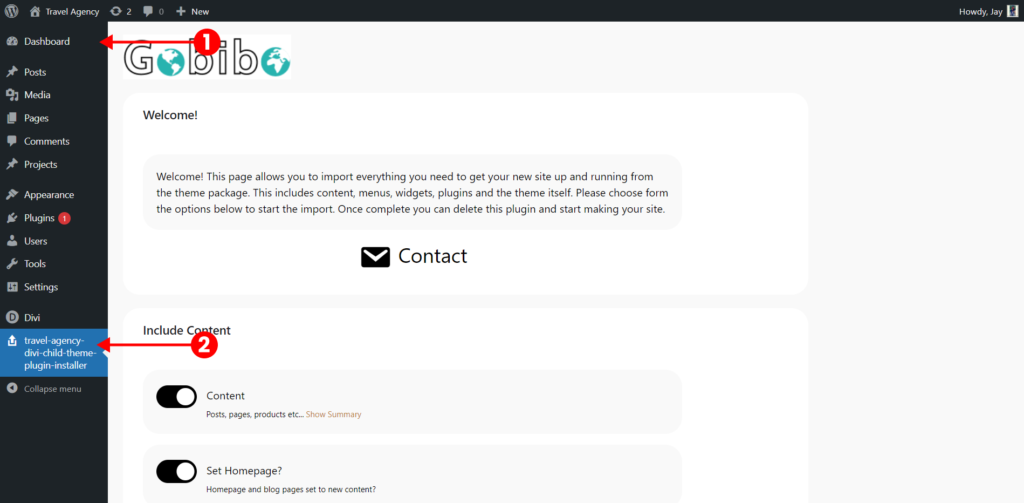
After you have successfully installed the plugin and activated it, please go back to the dashboard or refresh the page and you will Travel Agency Divi child theme click on it.
[/et_pb_text][et_pb_text _builder_version=”4.17.3″ _module_preset=”default” text_line_height=”1.8em” hover_enabled=”0″ global_colors_info=”{}” theme_builder_area=”post_content” sticky_enabled=”0″]

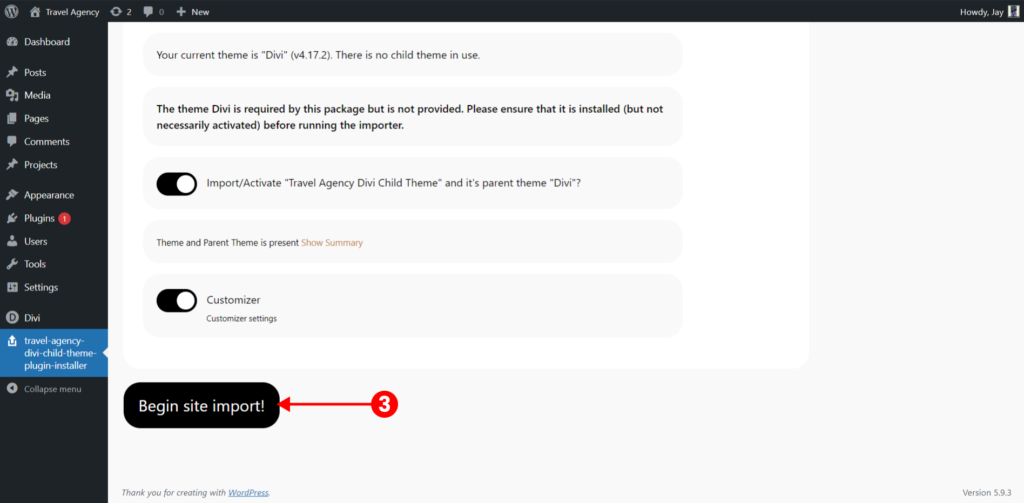
Scroll to the very bottom where you will see the begin site import button click on it and wait for 5-10 mins until the importing is completed.
[/et_pb_text][et_pb_text _builder_version=”4.17.3″ _module_preset=”default” text_line_height=”1.8em” hover_enabled=”0″ global_colors_info=”{}” theme_builder_area=”post_content” sticky_enabled=”0″]

How to change the main home page from demo to Home 1,2 #

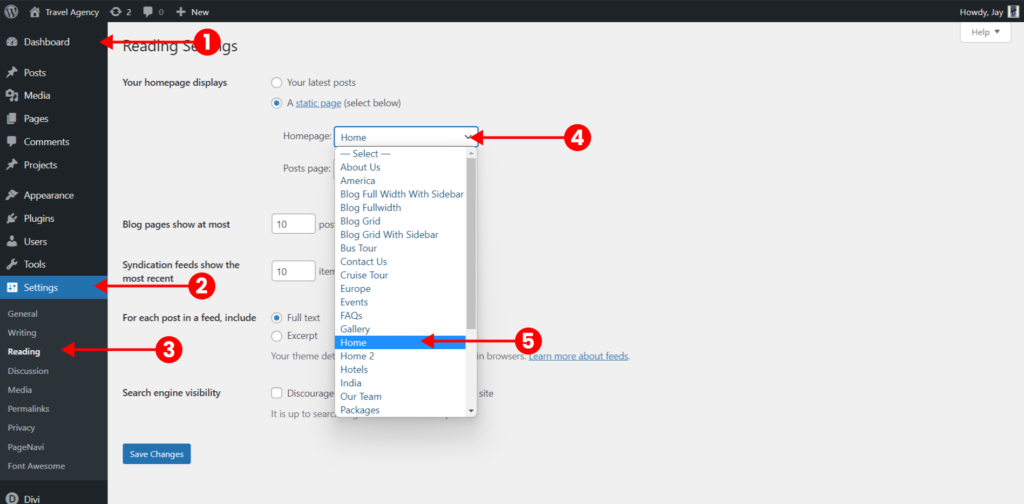
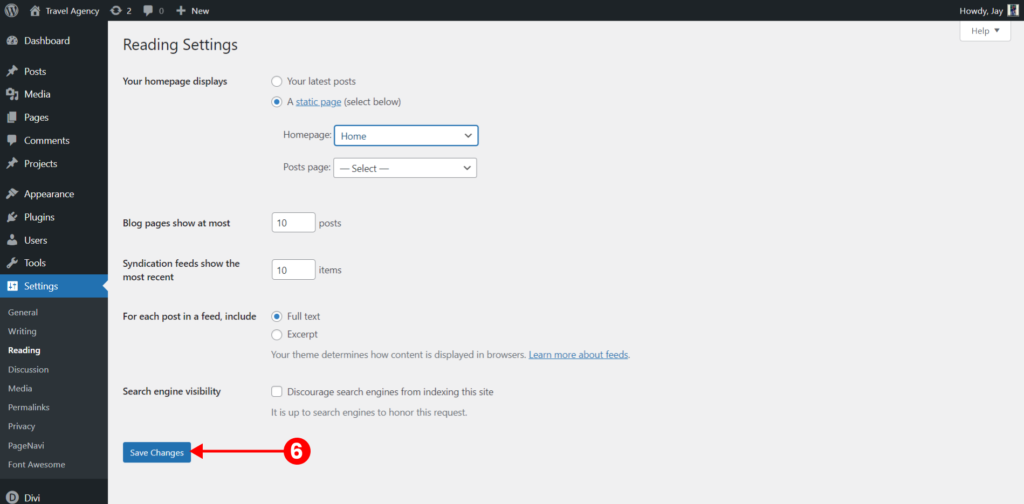
Head towards Dashboard > Settings > Reading > select the homepage as Home or Home 2 whatever the page you want as a homepage.
[/et_pb_text][et_pb_text _builder_version=”4.17.3″ _module_preset=”default” text_line_height=”1.8em” hover_enabled=”0″ global_colors_info=”{}” theme_builder_area=”post_content” sticky_enabled=”0″]

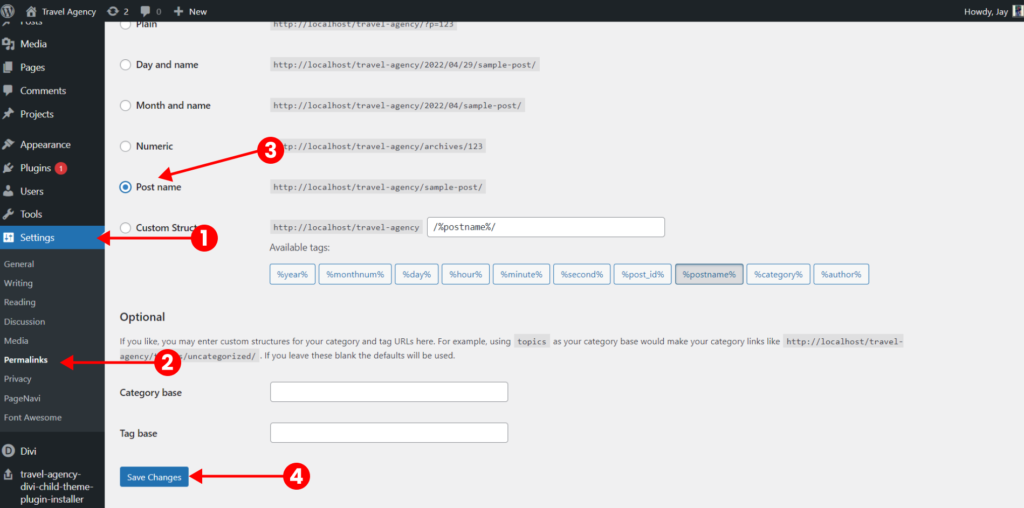
How to change the permalink? #

This is really important as if you don’t do then some of the pages will become 404.

Go to dashboard > settings > permalinks > post name > save changes.
[/et_pb_text][/et_pb_column][/et_pb_row][/et_pb_section]

What are your feelings

Updated on April 29, 2022

Pin It on Pinterest