[et_pb_section fb_built=”1″ _builder_version=”4.16″ _module_preset=”default” custom_margin=”||||false|false” custom_padding=”0px||0px|||” box_shadow_style=”preset1″ box_shadow_vertical=”10px” box_shadow_blur=”42px” box_shadow_color=”rgba(110,130,208,0.17)” global_colors_info=”{}” theme_builder_area=”post_content”][et_pb_row _builder_version=”4.16″ _module_preset=”default” width=”100%” max_width=”100%” custom_padding=”|30px||30px|false|true” global_colors_info=”{}” theme_builder_area=”post_content”][et_pb_column type=”4_4″ _builder_version=”4.16″ _module_preset=”default” global_colors_info=”{}” theme_builder_area=”post_content”][et_pb_text _builder_version=”4.17.3″ _module_preset=”default” text_line_height=”1.8em” global_colors_info=”{}” theme_builder_area=”post_content”]
NOTE: Before importing the demo content make sure that you have installed the Divi theme and it’s activated.
[/et_pb_text][et_pb_text _builder_version=”4.17.4″ _module_preset=”default” text_line_height=”1.8em” hover_enabled=”0″ global_colors_info=”{}” theme_builder_area=”post_content” sticky_enabled=”0″]
How to import the demo content? #
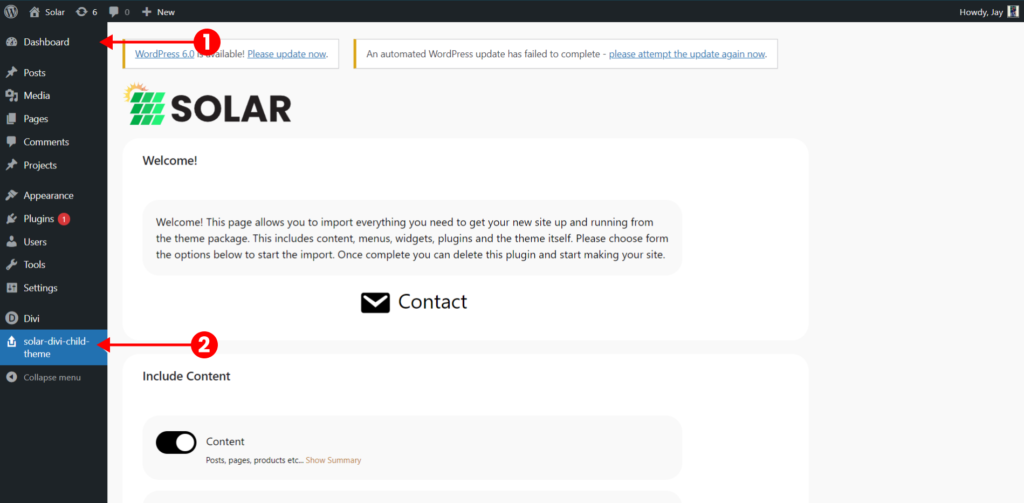
After you have successfully installed the plugin and activated it, please go back to the dashboard or refresh the page and you will Solar Divi child theme click on it.
[/et_pb_text][et_pb_text _builder_version=”4.17.4″ _module_preset=”default” text_line_height=”1.8em” hover_enabled=”0″ global_colors_info=”{}” theme_builder_area=”post_content” sticky_enabled=”0″]
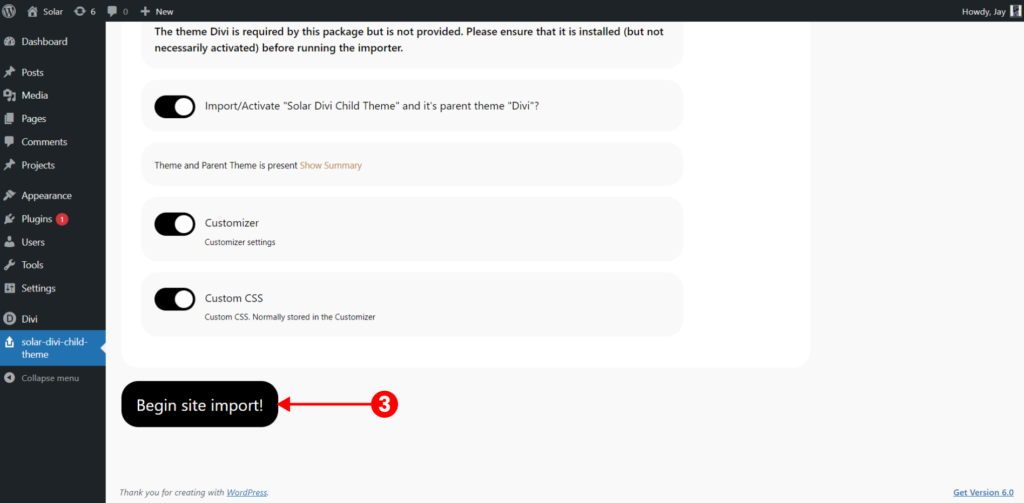
Scroll to the very bottom where you will see the begin site import button click on it and wait for 5-10 mins until the importing is completed.
[/et_pb_text][et_pb_text _builder_version=”4.17.4″ _module_preset=”default” text_line_height=”1.8em” hover_enabled=”0″ global_colors_info=”{}” theme_builder_area=”post_content” sticky_enabled=”0″]
How to change the main home page from demo to Home 1, 2, 3,4,5 #
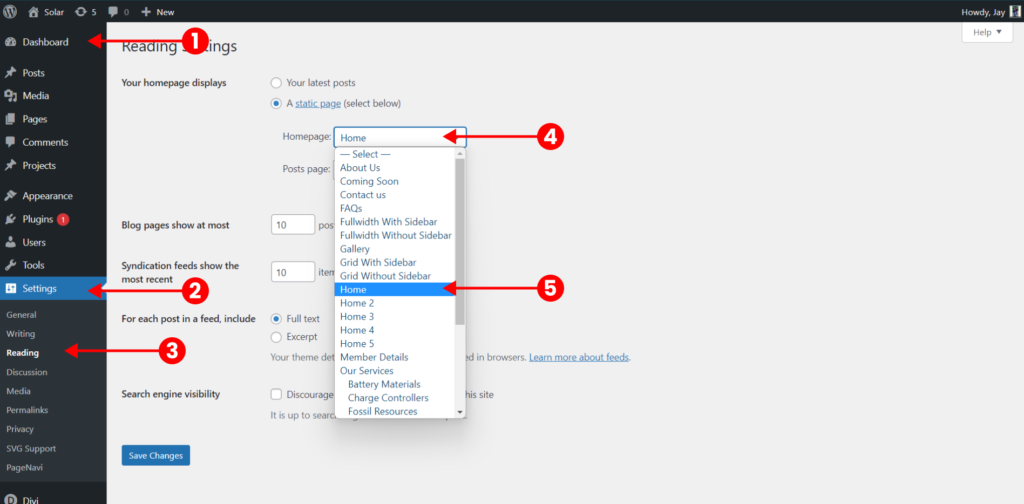
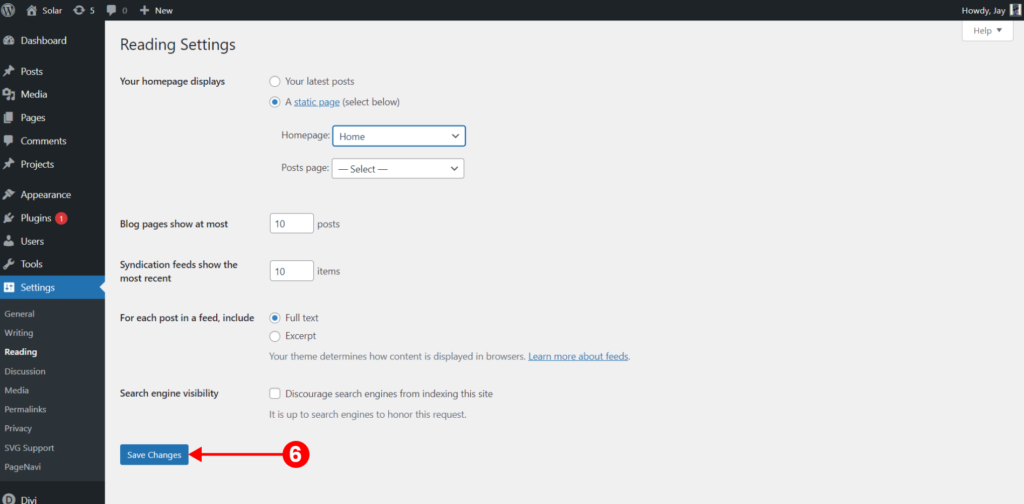
Head towards Dashboard > Settings > Reading > select the homepage as Home or Home 2 or Home 3 or Home 4 or Home 5 whatever the page you want as a homepage.
[/et_pb_text][et_pb_text _builder_version=”4.17.4″ _module_preset=”default” text_line_height=”1.8em” hover_enabled=”0″ global_colors_info=”{}” theme_builder_area=”post_content” sticky_enabled=”0″]
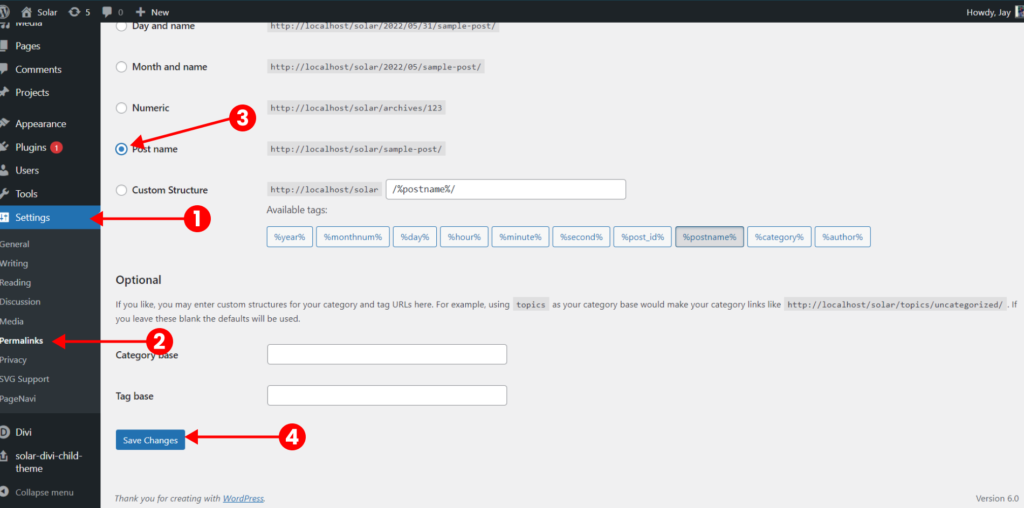
How to change the permalink? #
This is really important as if you don’t do then some of the pages will become 404.
Go to dashboard > settings > permalinks > post name > save changes.
[/et_pb_text][/et_pb_column][/et_pb_row][/et_pb_section]